Chrome extension
- Role
- Sole designer and developer
- Scope
- Chrome extension for a private, cross-device reading list
- Status
- Built and published
- Outcome
- Reused native bookmark synchronization instead of requiring another service or account
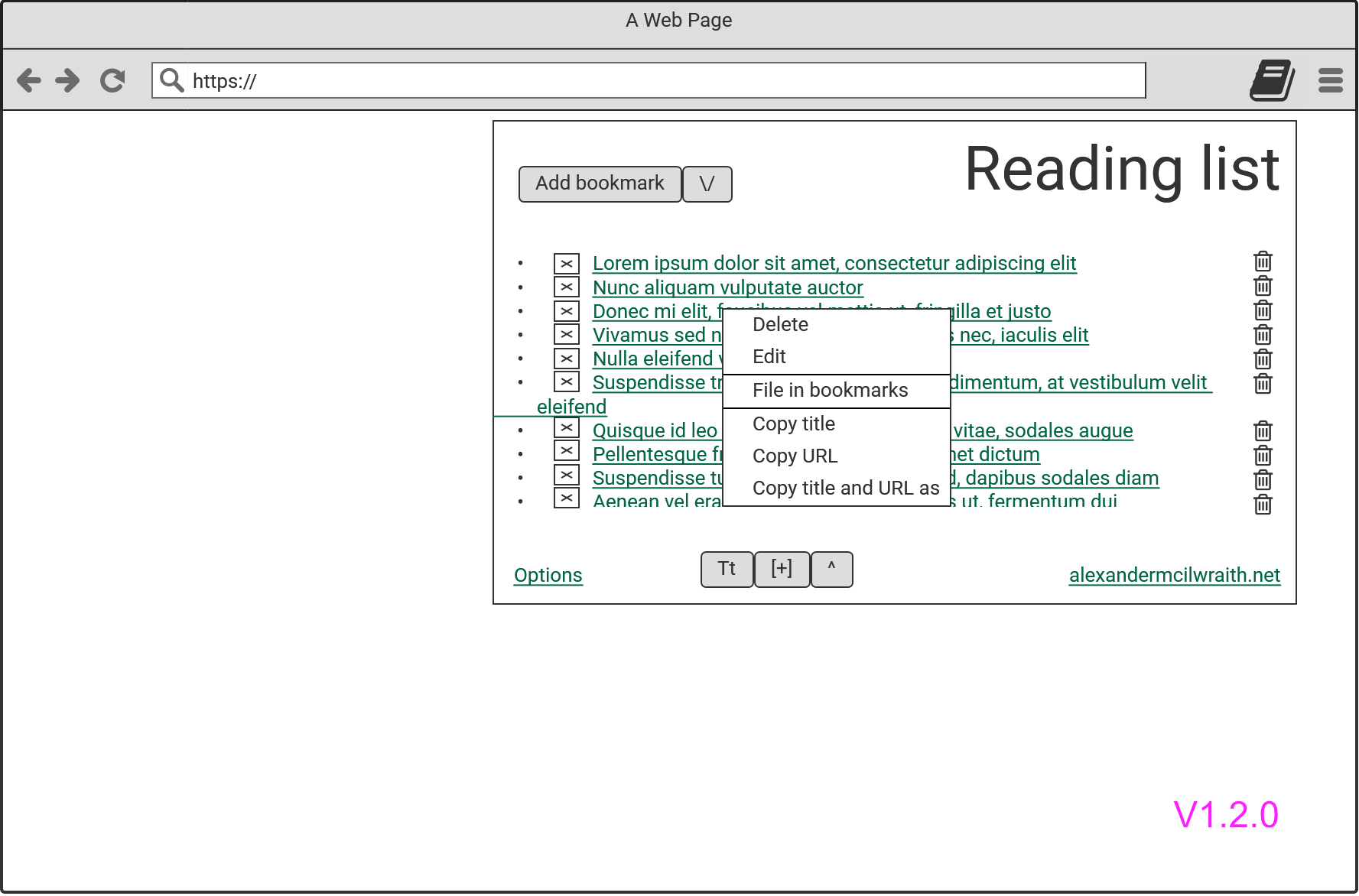
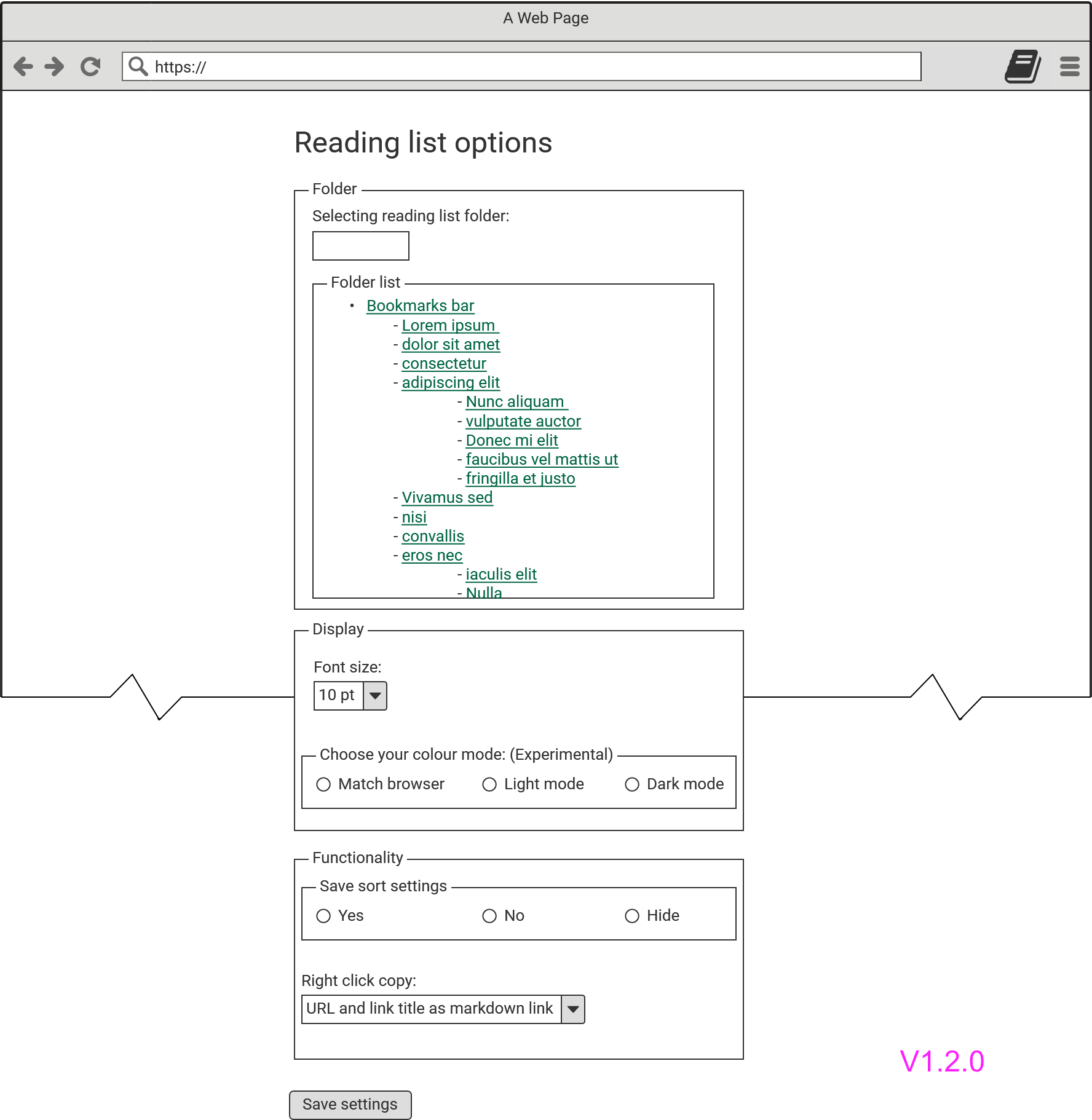 Research often led me through long chains of articles and resources that I wanted to revisit later. I needed a reading list that remained available across devices without relying on a separate social-bookmarking platform, which might also be blocked in workplace environments.
I implemented the extension against Chrome’s Manifest V3 platform, using JavaScript to work with the Bookmarks and Context Menus APIs. Its popup manages a dedicated bookmarks folder and supports adding, editing, deleting, and organizing saved items, while context-menu actions capture links during browsing and make their information easy to reuse elsewhere. Rather than create a separate database and synchronization service, I treated the browser’s existing bookmark store as the product’s data layer. This gave users cross-device synchronization, access to established bookmark-management tools, and continued access to their reading list on browsers or devices that did not support the extension but could receive their synchronized bookmarks. It also allowed me to focus development on the interface and interactions instead of building and maintaining a syncing backend. I owned the product from interaction design and technical architecture through implementation, testing, and publication.
I designed and developed a Chrome extension that stores reading-list items within the browser’s existing bookmark system. This allowed the extension to use an established synchronization service rather than creating another account, platform, or data store.
Using existing infrastructure differently
Browser bookmarks already provided trusted cross-device synchronization, but a reading list stored among ordinary bookmarks could quickly become cluttered or difficult to find.
The extension stores items in a dedicated bookmarks folder and elevates that folder through its popup interface. This keeps the underlying data compatible with native bookmark tools while giving the reading list a focused place within the browser.
Supporting capture and organization
Context-menu actions allow links to be added while browsing and make their information easy to copy into other documents. The extension also supports basic list management, including adding, editing, deleting, and organizing saved items.
The result is a lightweight reading-list tool built on infrastructure users may already trust and use. The extension is available through the Chrome Web Store. Broader user research would be required before developing it beyond the needs that shaped the original personal project.
Because the extension predates DS2-core and my current design system, a future refresh would retain its bookmark-based architecture while rebuilding the interface with current components and accessibility patterns. Planned enhancements include detecting a nested folder within the reading-list folder and presenting it as a second tab, allowing users to maintain separate personal and work reading lists without introducing a new data model.